Find the affected account
1
Choose the scope
Use All clients, All pairs and All alerts to narrow the list. Clear filters restores the full view available to your role.
2
Read Open or Resolved
Open contains active incidents, including ones that have been acknowledged or snoozed. Resolved contains conditions that have cleared.
3
Read the card
Start with the client, pair, exchange, severity and time. Read the detail for the affected strategy, current value and limit.
4
Open the account
Compare the incident with current settings, balances, orders and the strategy log. Use the bot-specific error guide if it stopped.
Categories
Expand the relevant category to read its rules. Waits is the delay before the first alert; Reminds controls later notifications. They are separate settings.
Acknowledge and Snooze
Acknowledgement and snooze belong to the shared incident. Recipient severity, reminder interval and delivery schedule are personal.
Snoozing leaves the underlying problem in Open. A severity escalation can produce a new notification and end the incident’s snooze.
When an alert becomes Resolved
For condition-based incidents, the condition must clear and remain clear for 60 seconds before resolution. Some rules also require a recovery margin, such as liquidation distance recovering to 20%. Missing or failed observations do not prove recovery. ANSIO keeps the last known incident instead of treating unavailable data as a healthy account. A resolved notification is sent only for an alert episode that the recipient previously received. Delivery settings still apply.In Telegram
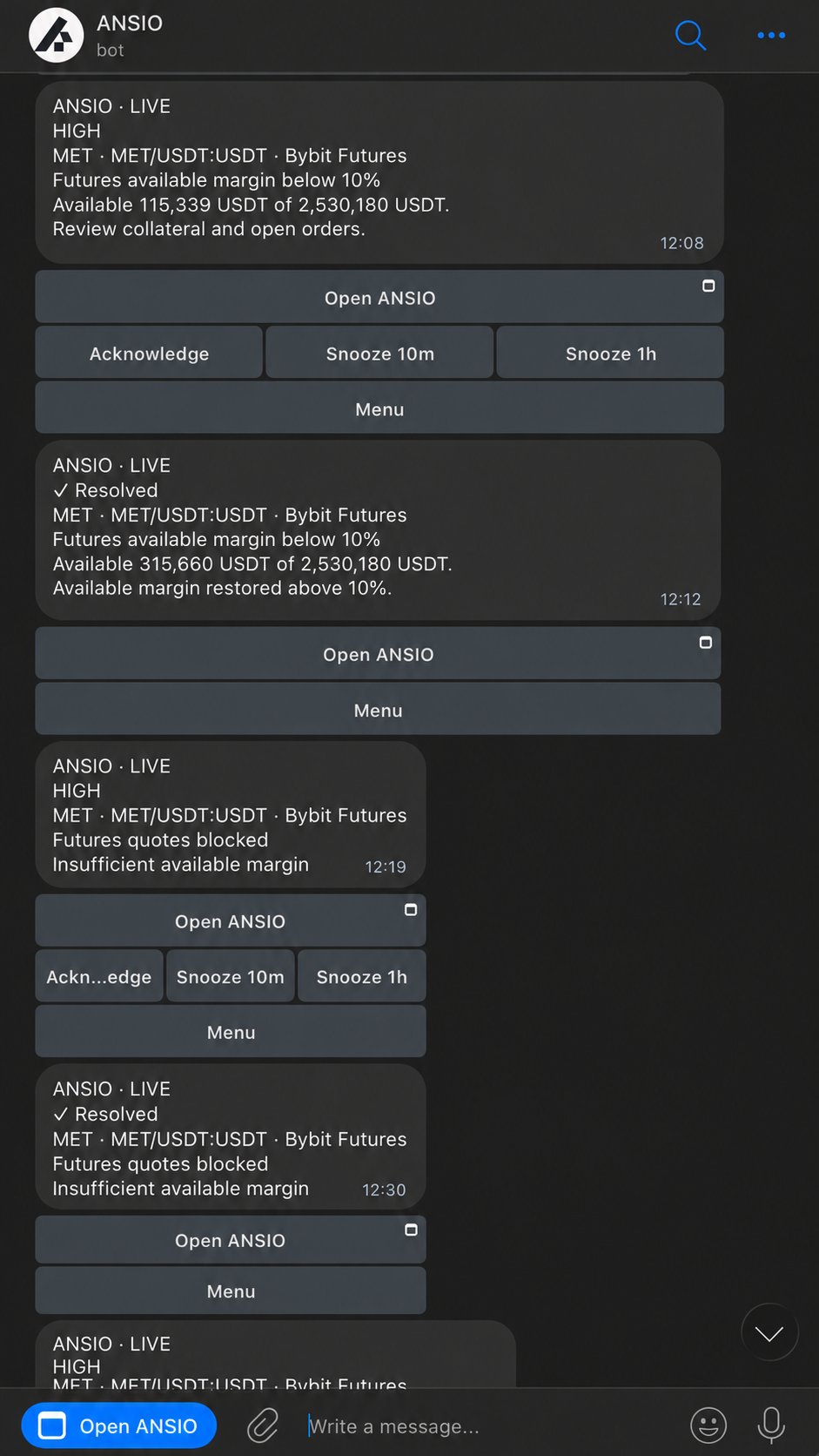
ANSIO Telegram alerts from the landing-page demonstration. Acknowledge and Snooze are beneath each active message.
Timing and delivery
First alerts, repeats, schedules, vacation pauses and missing messages.
Rule reference
The condition, first-alert wait and scope for each rule.
Bot errors
Separate guides for MM, Spread, Equaller, Cashout, Futures and Autopilot.
Telegram controls
Account views, commands and confirmed actions.