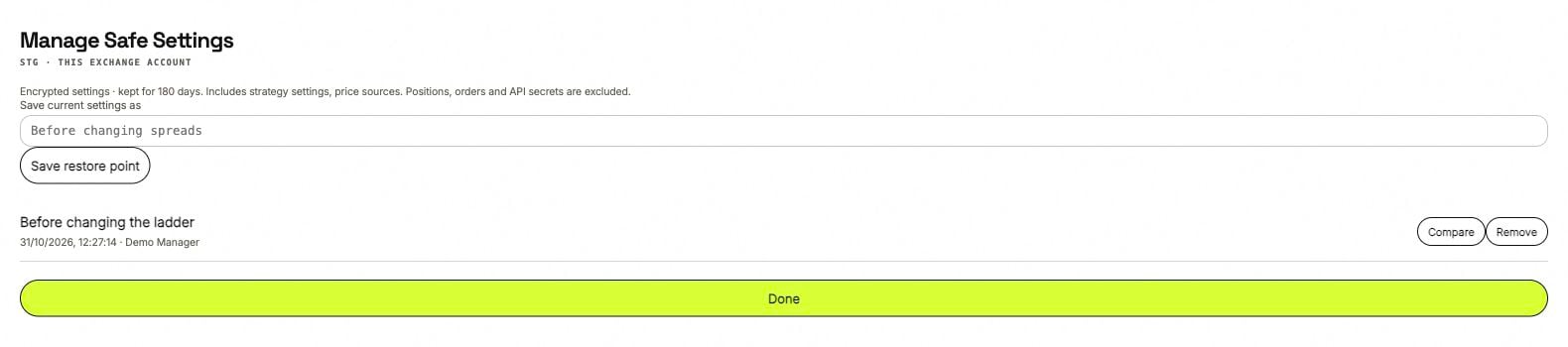
Save a named point, then use Compare to review it against the current configuration.
Save a restore point
Open Manage Safe Settings for the intended scope. Give the point a name that describes why you are saving it, such as “Before changing spreads,” then select Save restore point. The scope matters: an exchange-account point and a client-wide point do not cover the same settings.Compare before restoring
Compare shows current values against the saved values. Select the setting groups you want to restore. Review the bot list as well as the changed fields so unrelated strategies are not included by mistake.1
Pause trading changes
Stop the affected strategies and pause Autopilot. Wait for order cancellation to be confirmed.
2
Choose the restore point
Open Compare and review the current and saved values.
3
Select the groups
Choose which settings to restore, then use Restore selected settings and complete the required confirmation.
4
Review before resuming
Strategies stay stopped after restoration. Read the restored settings alongside the current exchange balances and positions before starting again.