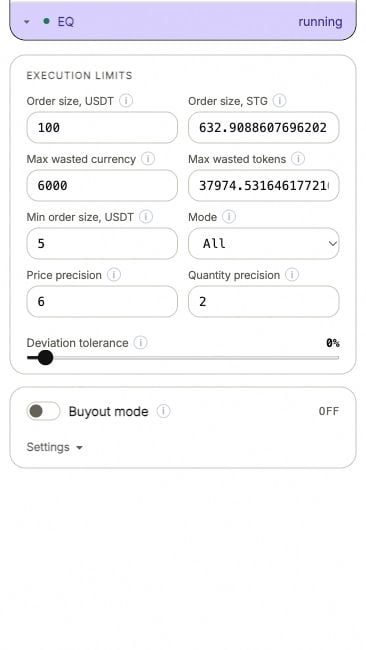
Equaller's execution limits in the ANSIO demo.
Equaller budget spent
The run has consumed its Max wasted currency or Max wasted tokens allowance. Read which allowance was used and compare it with the run’s fills. This can be an expected limit. Restarting resets the run’s allowances and permits more trading. If the intended amount is already spent, leaving it stopped may be the correct result. The alert with this name can also appear when the exhausted allowance is detected while the strategy still reports running.Oversold / insufficient balance
The error may be classified asequaller_oversold. A correction needs more funds than are available.
For a buy, compare the required quote currency with the free quote balance. For a sell, compare the token quantity with free tokens. Other resting orders can reserve funds even when the total balance looks sufficient.
An unused run allowance is permission to spend; it does not supply funds.
Running, but no correction
Read these settings in order:- Mode — Buy only or Sell only may exclude the direction needed.
- Deviation tolerance — a smaller deviation can be intentionally left alone.
- The reference — the bot needs a valid quote for the intended market.
- The remaining currency and token allowances.
- Available funds and the minimum valid order.
Order below exchange minimum
Compare Order size, Min order size and the amount after precision rounding. A remaining allowance can be too small to fund one valid order. Use the actual minimum returned for this pair. Raising the order size also changes how much one correction can consume.Price or quantity rejected
ForOrder params error or a venue precision response, compare Price precision and Quantity precision with the market’s accepted increments.
Read the full rejection before changing several settings at once. It should identify whether price, quantity or notional is the problem.