Access
The owner authorizes a Telegram user in Alerts → Telegram, with Manager or Client scope. A Client sees the assigned client’s read-only status, balances and book. The owner can separately enable Ask Autopilot for questions. It does not grant trading permission. For the Telegram Mini App, sign in to the ANSIO team account and use Sections → Telegram access → Link this Telegram. After linking, Continue with Telegram is available.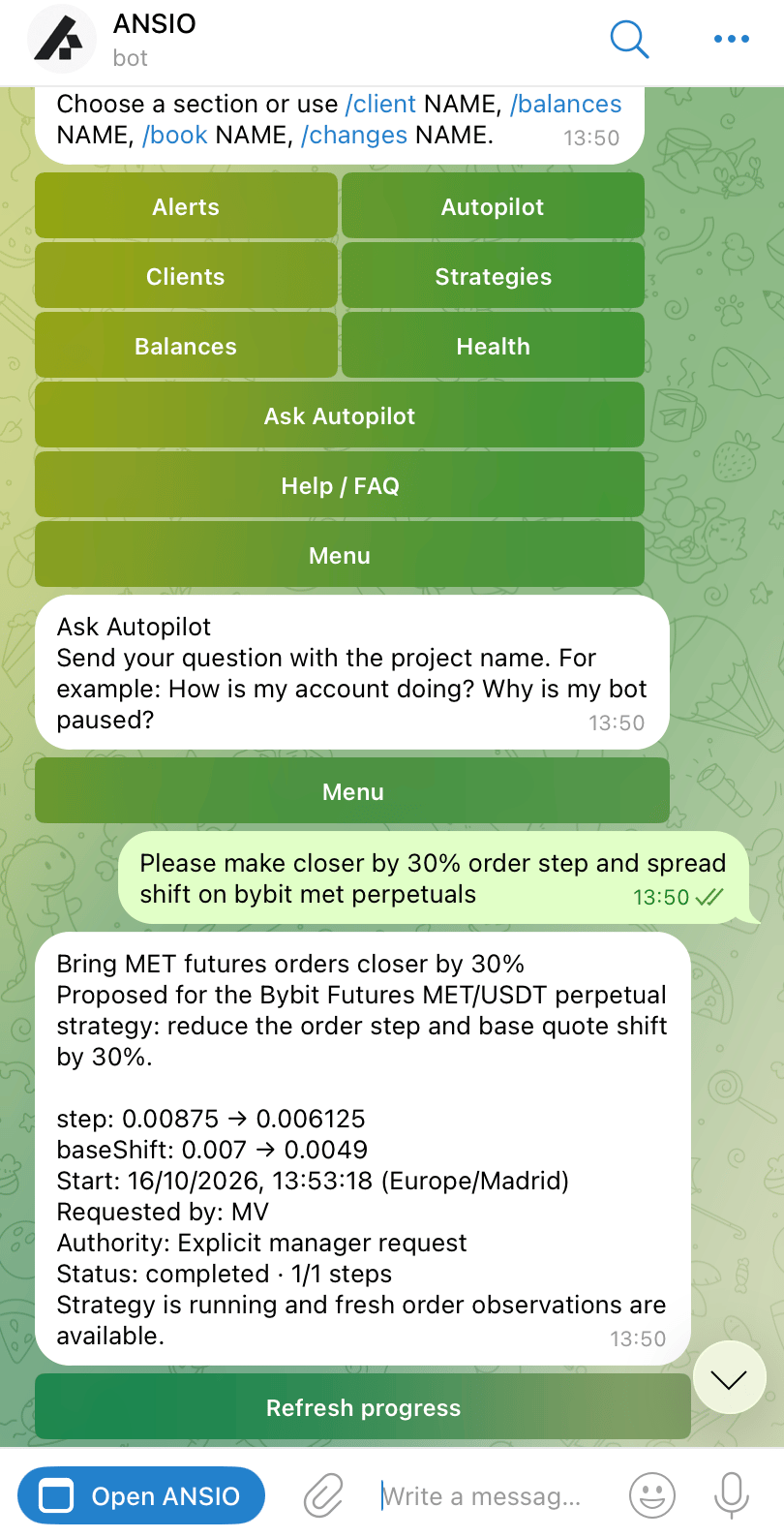
The Telegram screenshot used on the ANSIO landing page. The final task card records the affected account, changed fields and result.
Commands
ReplaceNAME with the client name. If several accounts match, select the exchange shown in the response.
/ask is available when the owner enables questions. Manager /askcontrol can prepare supported Start, Stop or Restart actions; it still requires confirmation.
Confirm a strategy action
1
Select the strategy
Open Clients → account → Strategy controls → strategy.
2
Read the preview
Confirm the account, strategy and intended action.
3
Use Yes, execute
The confirmation is single-use and expires after two minutes. Changed settings require a new preview.
4
Read the result
Accepted means the request was received. Wait for the execution result before deciding whether another action is needed.
Alerts and reminders
Acknowledge / Ack records that you saw the incident. It does not stop reminders. Snooze 10m / 1h postpones notifications for that incident. Neither action fixes the condition or stops the bot. Default repeats are 10 minutes for Critical, 20 minutes for High, and 60 minutes for Medium or Low. A personal rule interval overrides the default; 0 disables ordinary repeats. The rule’s first-alert wait is separate. Delivery also respects the recipient’s schedule, timezone, severity preference and vacation pause.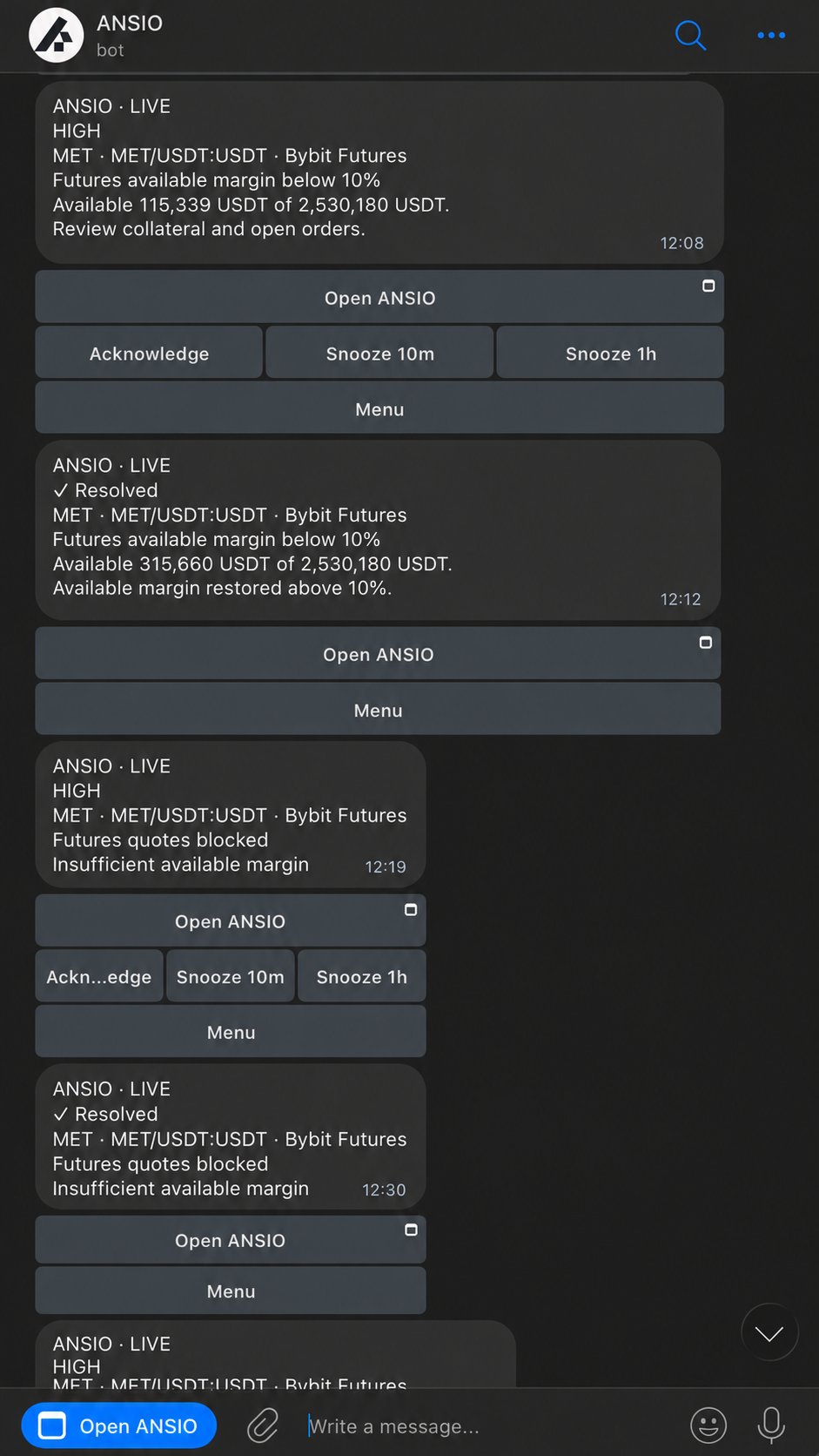
Margin and quote alerts in the landing-page demonstration.