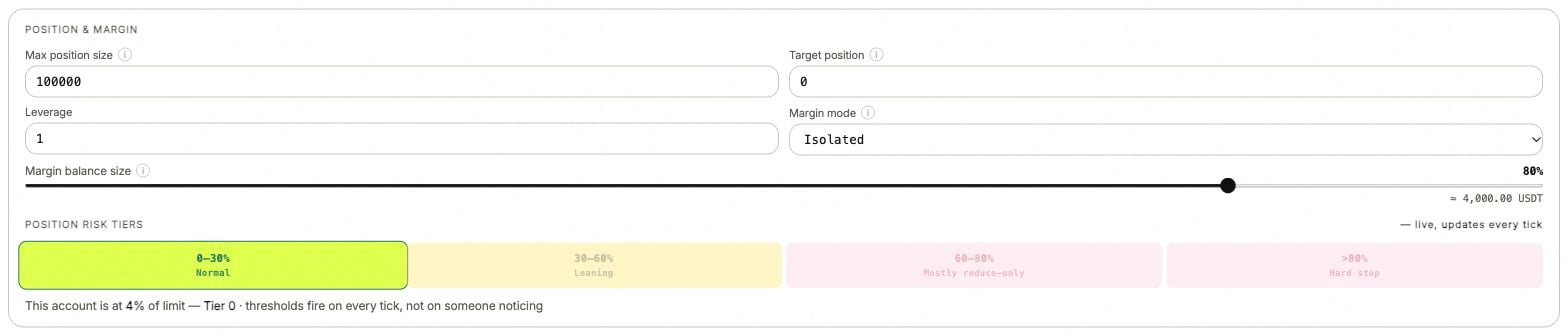
Position and margin controls in the ANSIO demo. Values illustrate the fields, not a suggested configuration.
Waiting for margin
The underlying response isInsufficient available margin.
The bot cannot fund the next quote within Margin balance size and the account’s available margin. Existing orders remain managed. Total collateral and available margin are different: open positions and orders can already use part of it.
Compare available margin, order commitments, Margin balance size and the size of the next quote. A higher allocation permits more usage; it does not create collateral.
Position allocation reached
The response may readMax position size reached — existing position and open orders use the limit.
The position and open orders already use the permitted allocation. New risk-increasing quotes wait; existing orders remain managed.
Read Max position size, Target position and remaining open orders. This expected allocation wait is excluded from the generic Futures quotes blocked alert.
Quotes blocked
Open the reason beneath the notice. A venue response, invalid setting or missing required data can prevent new quotes. Existing quotes can remain unless a separate stop or liquidation policy cancels them. The notice does not mean the account is flat. A qualifying block must persist for two minutes before the High alert fires.Previous strategy error
On a stopped bot, the last error can be displayed as Previous strategy error. Read its timestamp and the current run state before treating it as a new incident. A historical error can remain visible after the market or account condition changes.Futures available margin below 10%
This High alert compares available margin with total margin. It becomes eligible after the ratio remains below 10% for one minute. It is a warning about the account’s available margin, not an instruction to increase leverage or transfer funds. Read collateral, position and order commitments to understand what uses the margin.Margin depleted
This is a separate exit/error label that may appear in a strategy record. Read that record’s order-handling detail and the current exchange orders. Do not assume it has the same behavior as the running Waiting for margin notice.Futures account data is stale
ANSIO cannot confirm fresh margin, position and liquidation data. A missing value is unknown, not zero. This alert has a one-minute wait after the stale-data condition is detected. Inspect the account’s last update, venue connection and permissions. Until fresh data returns, the displayed position cannot establish that a close succeeded.Position past its alert threshold
The alert measures distance from the target:abs(position − target position) / max position size
At 60% or more, the High condition has a five-minute wait. At 80% or more, its severity is Critical. Once active, it clears below 50%, followed by the normal resolution delay.
These are notification thresholds. The bot’s position controls operate separately; they do not wait five minutes for the alert.
Liquidation distance warning
Liquidation distance …% is Critical below 15%, with no extra first-alert wait. Once active, it clears at 20% or more, followed by the resolution delay. Read the mark, liquidation level, position and selected liquidation policy. The alert itself does not submit a market close.A Futures setting is rejected
Keep the full field name and response if the rejection does not match a visible setting.
Profit Exit is on, but the position stays open
Profit Exit changes reducing quote prices; it does not guarantee a fill. A quote respecting entry, estimated fees and the buffer can remain away from the market. Funding is not included. Compare exposure with the rule’s activation condition and read the actual reducing orders. See Profit Exit.Close was requested, but the result is unclear
Read the execution result and refresh the exchange position. A submitted request or an estimated preview is not proof of a completed close. If the response is uncertain, establish the current state before submitting a second close. See Close position.How these alerts appear in Telegram
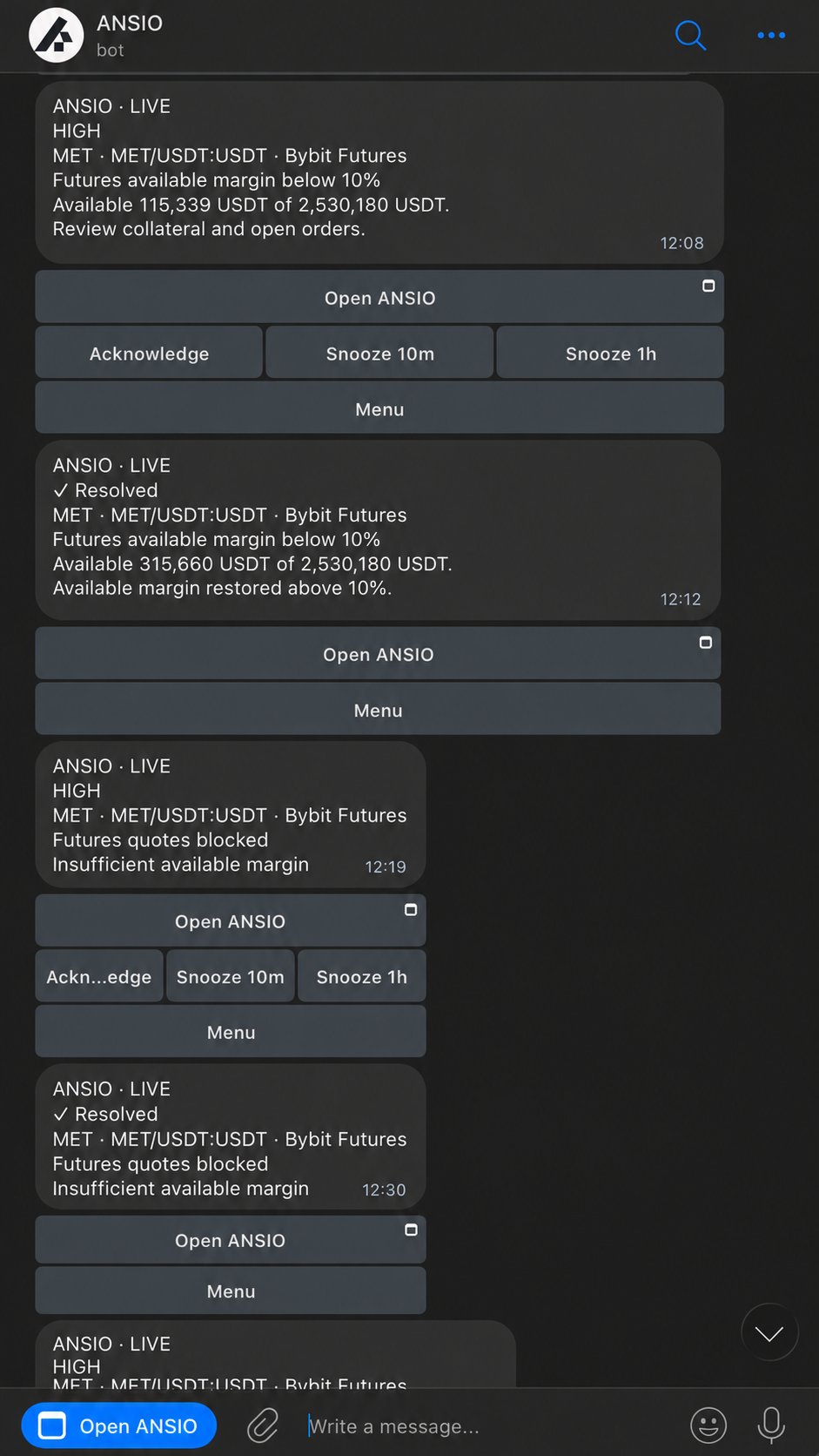
The Telegram example from the ANSIO landing page, with demonstration figures.